
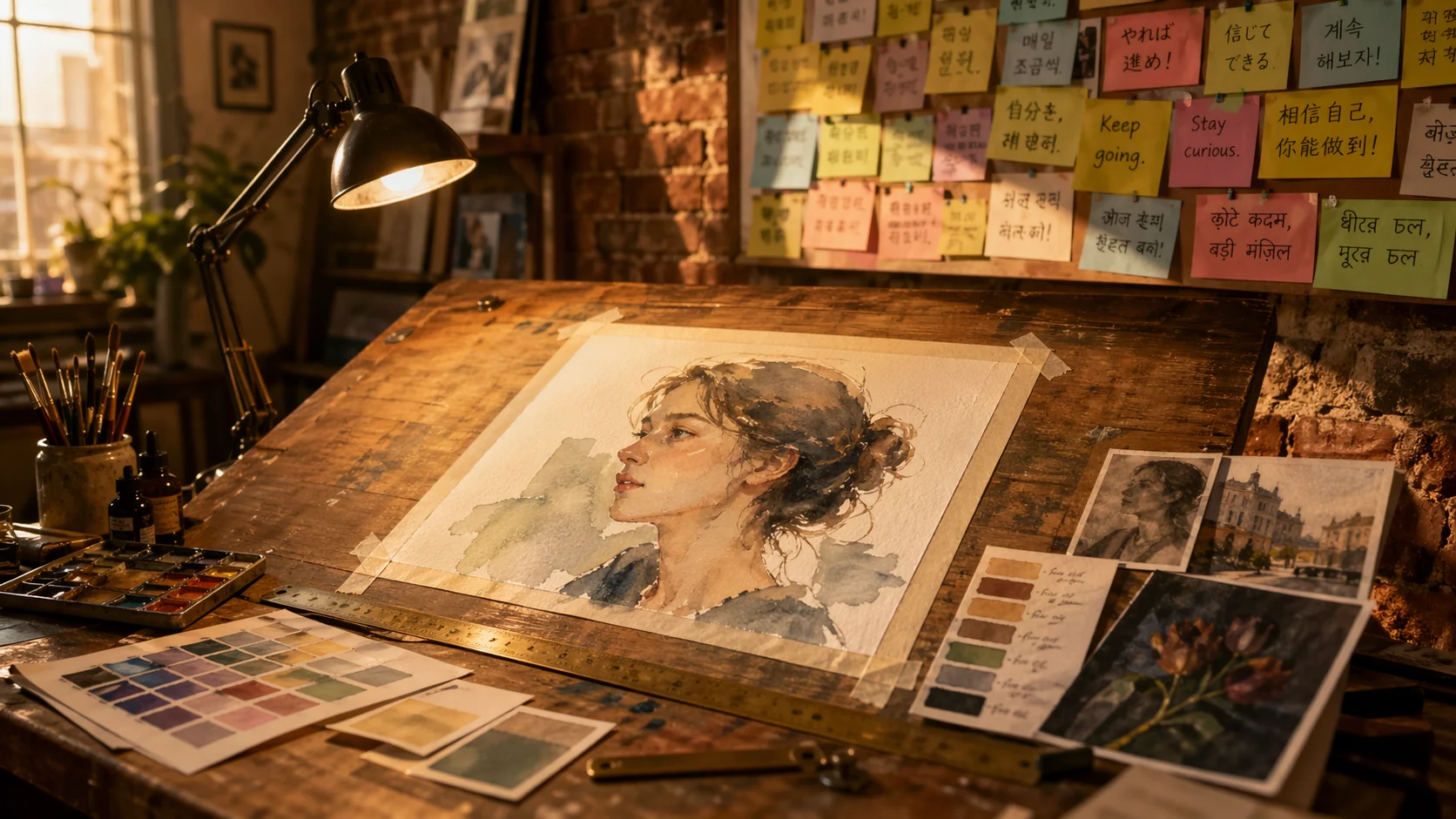
What Makes GPT Image 2 Stand Out
GPT Image 2 is OpenAI's latest image model, rebuilt around reasoning, photorealism, and text fidelity. Three capabilities set it apart from the models it replaces.
Near-Perfect Multilingual Text Rendering
Editing with Up to 16 Reference Images
Reasoning Before Rendering
What is GPT Image 2?
GPT Image 2 (ChatGPT Images 2.0) is OpenAI's April 2026 image generation and editing model, the successor to GPT Image 1.5. It focuses on text fidelity, multilingual typography, and multi-reference editing, and runs on VidCella with resolution-tiered pricing from 5 credits (1K) up to 4K output.
- Text-to-ImageGenerate from a prompt alone when no reference images are attached. Use the Aspect Ratio dropdown in the generator panel to pick one of 16 ratios: auto, 1:1, 3:2, 2:3, 4:3, 3:4, 16:9, 9:16, 2:1, 1:2, 3:1, 1:3, 21:9, 9:21, 5:4, or 4:5. Leave it on auto and the model picks a ratio that fits the scene.
- Image Edit with Up to 16 ReferencesDrop in 1 to 16 reference images and describe the edit. GPT Image 2 silently switches to image-to-image mode, blending the references while preserving the elements you want intact — good for swaps, style transfer, multi-source composition, and product shots.
- Multilingual TypographyRenders legible text across Japanese, Korean, Chinese, Hindi, Bengali, and most European scripts. Useful for localized ads, global product packaging, bilingual posters, and UI mockups with real copy instead of lorem ipsum.
- Tiered Pricing — 1K, 2K, or 4KPay 5 credits for 1K, 8 for 2K, or 12 for 4K. Pick the resolution that matches the job instead of overpaying for fidelity you don't need. No separate subscription — VidCella credits cover this model the same way they cover every other model in the catalog.
How to Use GPT Image 2 on VidCella
Four steps from prompt to downloadable image.
GPT Image 2 Features on VidCella
Everything you can do with GPT Image 2 when you bring it in through VidCella:
Multilingual Text Rendering
Legible Japanese, Korean, Chinese, Hindi, Bengali, and European-script text in signs, posters, packaging, and UI mockups — close to 99% accuracy on LM Arena's text-rendering benchmark.
Up to 16 Reference Images
Attach 1–16 images for editing, composition, or style transfer. More references than Nano Banana Pro (14) and most dedicated editors; files up to 30 MB each in JPEG, PNG, or WEBP.
Aspect Ratio Dropdown
Control output shape with a native dropdown — 16 ratios from auto and 1:1 to ultra-wide 21:9 and 3:1 or ultra-tall 9:21 and 1:3, all one click away. Leave it on auto and the model picks a ratio that fits the scene.
Reasoning-Based Planning
The model plans composition, typography, and layout before rendering — OpenAI's O-series reasoning applied to pixels. Complex multi-element scenes stay coherent instead of drifting.
Tiered Pricing by Resolution
Pick the fidelity you need: 5 credits for 1K, 8 for 2K, 12 for 4K. Predictable per-resolution cost — no surcharges for prompt length or reference images, no separate subscription fee on top of your VidCella account.
Seedream V5 Lite Fallback
When a prompt is blocked for copyright reasons, retry on Seedream V5 Lite using the same credit balance — it lives alongside GPT Image 2 in the same history and is considerably more permissive.
GPT Image 2 Frequently Asked Questions
Everything you need to know about using GPT Image 2 on VidCella:
What is GPT Image 2?
GPT Image 2 (ChatGPT Images 2.0) is OpenAI's April 2026 image generation and editing model. It replaces GPT Image 1.5, with sharper multilingual text rendering, support for up to 16 reference images in editing mode, and OpenAI's O-series reasoning approach applied to image layout and typography.
Do I need a ChatGPT Plus subscription to use it here?
No. VidCella hosts GPT Image 2 directly through the Kie provider, so you can use it by signing in and spending credits. No ChatGPT Plus, no OpenAI account, no separate API key.
How is GPT Image 2 different from GPT Image 1.5?
Four main shifts. Text rendering is reported at close to 99% accuracy versus GPT Image 1.5's occasional drift. Reference-image editing scales to 16 images in a single prompt instead of 10. OpenAI has folded in reasoning-based planning so complex compositions hold together. And output now goes up to 4K — pricing on VidCella is tiered at 5 / 8 / 12 credits for 1K / 2K / 4K.
How does reference-image editing work?
Attach between 1 and 16 images alongside your prompt. GPT Image 2 will switch to its image-to-image mode and blend the references — use them for identity locking, style transfer, background swaps, or multi-subject composition. Skip the attachments entirely and it runs in text-to-image mode from the prompt alone.
How do I control the aspect ratio?
Pick one from the Aspect Ratio dropdown in the generator panel — 16 options: auto, 1:1, 3:2, 2:3, 4:3, 3:4, 16:9, 9:16, 2:1, 1:2, 3:1, 1:3, 21:9, 9:21, 5:4, and 4:5. The default is auto, which lets the model pick a ratio that fits the scene.
How much does GPT Image 2 cost on VidCella?
Pricing is tiered by output resolution: 5 credits for 1K, 8 for 2K, and 12 for 4K. Prompt length and the number of reference images do not affect cost. Note: the 5:4, 4:5, 3:1, 1:3, and 9:21 aspect ratios are available at 1K only. No monthly subscription — credits are shared across every model on VidCella, including Seedream V5 Lite, Nano Banana Pro, and the Wan 2.7 image lineup.
What happens if my prompt gets blocked?
GPT Image 2 refuses prompts that reference copyrighted characters, public figures, and clearly branded content — the nsfw_checker is off, but the copyright filter is strict. When a prompt is blocked, retry the same idea on Seedream V5 Lite. It is considerably more permissive and runs from the same credit balance.
What languages does text rendering support?
OpenAI highlights Japanese, Korean, Chinese, Hindi, and Bengali alongside the common European scripts. In practice, text rendering also holds up well on most widely used writing systems. If you need a rare script or unusual glyph set, generate a quick 1:1 test first to confirm fidelity before committing credits to a large batch.