What Makes Wan 2.7 Image Stand Out
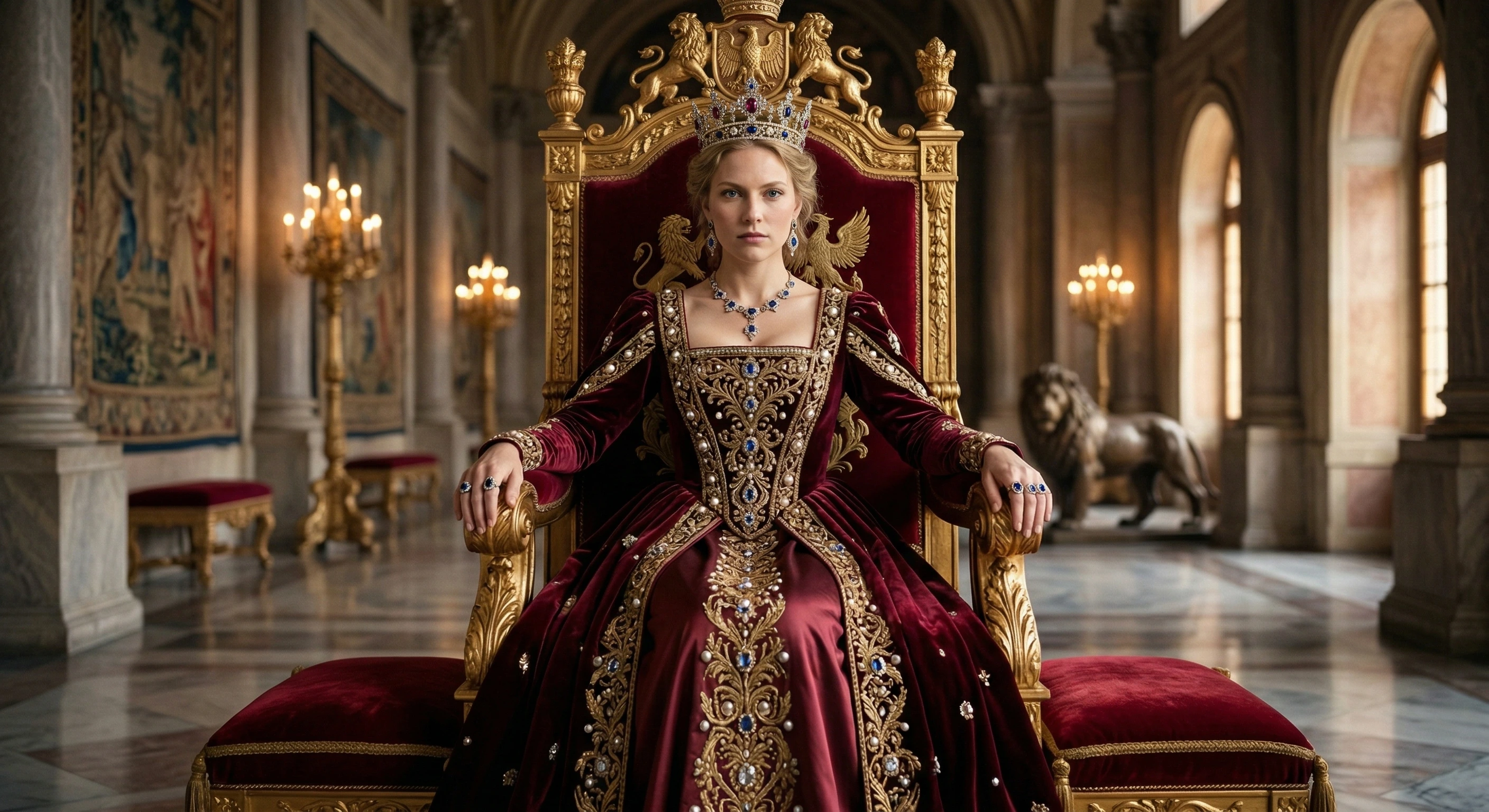
Wan 2.7 Image is the first mainstream image model with built-in chain-of-thought reasoning. Combined with industry-leading text rendering and multi-reference editing, it sets a new standard for AI image generation.
Thinking Mode
Text Rendering in 12 Languages
Multi-Image Editing with Up to 9 References
What is Wan 2.7 Image?
Wan 2.7 Image is Alibaba's latest AI image generation and editing model, released April 2026. It is the first production image model to feature built-in chain-of-thought reasoning, delivering unprecedented prompt accuracy, native multi-language text rendering, and intelligent multi-reference image editing.
- Text-to-Image with Thinking ModeGenerate images from text prompts with an optional thinking mode that analyzes spatial relationships, composition logic, and semantic intent before rendering. Describe complex scenes with multiple elements, specific text, precise colors, and spatial arrangements — and get results that match your intent.
- Image Edit with Multi-ReferenceUpload up to 9 reference images and describe your edits in natural language. The model intelligently blends, transforms, and preserves elements across references — enabling style transfer, subject swapping, background replacement, and multi-image composition in a single pass.
- Standard & Pro Quality TiersChoose Standard (9 credits, up to 2K / 2048x2048) for fast iteration, or Pro (23 credits, up to 4K / 4096x4096) for print-ready, large-format output. Both tiers support all features including thinking mode, text rendering, and custom sizing.
- Seed-Based ReproducibilityLock a seed value to reproduce the exact same image across generations — essential for A/B testing prompts, iterating on compositions, and building consistent asset series. Use random seeds for creative exploration, fixed seeds for precision work.
How to Use Wan 2.7 Image on VidCella
Create AI images with Wan 2.7 Image in four steps. Whether you use text-to-image or image editing mode, VidCella gives you full access to all capabilities:
Wan 2.7 Image Features on VidCella
Explore the full range of Wan 2.7 Image capabilities available on VidCella — from thinking-mode generation to multi-reference editing and 4K output:
Thinking Mode
Built-in chain-of-thought reasoning that analyzes your prompt before generating. The model plans composition, verifies spatial consistency, and resolves complex multi-element scenes — achieving 94% prompt adherence.
Text Rendering
Native text generation in 12 languages with up to 3,000 tokens. Renders readable signs, accurate product labels, styled typography, academic formulas, and structured tables directly in generated images.
Multi-Image Edit
Upload 1–9 reference images for intelligent editing. Style transfer, element swapping, background replacement, and multi-source blending — the model preserves identity and context while applying your changes.
Up to 4K Resolution
Standard tier outputs up to 2048x2048 (2K). Pro tier reaches 4096x4096 (4K) — print-ready quality for large-format posters, product photography, and commercial assets.
Custom Size Control
Choose from preset resolutions across 5 aspect ratios (1:1, 16:9, 9:16, 4:3, 3:4) or enter custom dimensions. Minimum 512px, maximum 4096px (Standard) or 8192px (Pro) per side.
Precise Color Control
Specify exact HEX color codes in your prompts for brand-accurate color reproduction. Lock brand palettes, match design system colors, and maintain visual consistency across generated assets.
Wan 2.7 Image Frequently Asked Questions
Everything you need to know about using Wan 2.7 Image on VidCella:
What is Wan 2.7 Image?
Wan 2.7 Image is Alibaba's latest AI image generation and editing model, released April 2026. It supports text-to-image generation with thinking mode, multi-reference image editing (up to 9 images), native text rendering in 12 languages, and output resolutions up to 4K (Pro tier). It is the first mainstream image model with built-in chain-of-thought reasoning.
What is Thinking Mode?
Thinking Mode is Wan 2.7 Image's built-in chain-of-thought reasoning system. When enabled, the model performs four steps before generating: (1) parse the prompt to identify scene elements and relationships, (2) plan composition, lighting, and color, (3) verify spatial consistency and logical coherence, (4) generate the final image. This achieves 94% prompt adherence compared to the industry average of 78%. It is especially effective for complex scenes with multiple elements, specific spatial arrangements, and precise text rendering.
How does multi-image editing work?
Upload 1–9 reference images and describe your desired edits in natural language. Wan 2.7 Image understands which elements to change and which to preserve — for example, you can swap a portrait background to a beach sunset while keeping the subject's face, pose, and clothing pixel-perfect. It supports style transfer across images, element blending from multiple sources, and context-aware composition that goes beyond simple inpainting.
What is the difference between Standard and Pro?
Standard (9 credits per image) supports resolutions up to 2048x2048 (2K) with fast generation times. Pro (23 credits per image) supports resolutions up to 4096x4096 (4K) with higher quality output — ideal for print-ready assets, large-format posters, and commercial photography. Both tiers support all features including thinking mode, text rendering, multi-image editing, and custom sizing.
How much does Wan 2.7 Image cost on VidCella?
Standard quality costs 9 credits per image, and Pro quality costs 23 credits per image. No subscription required — pay only for what you generate. Both tiers include access to all features: thinking mode, text rendering, multi-image editing, and custom sizing.
What languages does text rendering support?
Wan 2.7 Image supports native text rendering in 12 languages, with particular optimization for Chinese and English. It handles up to 3,000 tokens of text input and can render readable signs, product labels, styled typography, academic formulas, and structured tables. This is a significant advancement over previous models that typically produce garbled or unreadable text.
Is Wan 2.7 Image open source?
No. Wan 2.1 and Wan 2.2 were the last models in the Wan series to release weights publicly under Apache 2.0 license. From Wan 2.5 onward, Alibaba shifted to a commercial API model. Wan 2.7 Image is only accessible through hosted platforms like VidCella. If you need to self-host an image model, Wan 2.2 remains the most capable open-source option in the Wan family.
Can I control the output size?
Yes. You can choose from preset resolutions across 5 aspect ratios (1:1, 16:9, 9:16, 4:3, 3:4) or enter custom width and height values. Standard tier supports 512–4096 pixels per side (max 2048x2048 total), and Pro tier supports 512–8192 pixels per side (max 4096x4096 total). For image editing, you can also set the output to 'Auto' to let the model determine the optimal size based on your reference images.