
AI Halloween Costume Try-On
See a witch, a vampire or the exact costume in your cart on your own photo before you order it.
Upload the person whose identity to keep
PNG, JPG, WEBP
Pick a preset or upload a costume product photo
PNG, JPG, WEBP
Preview
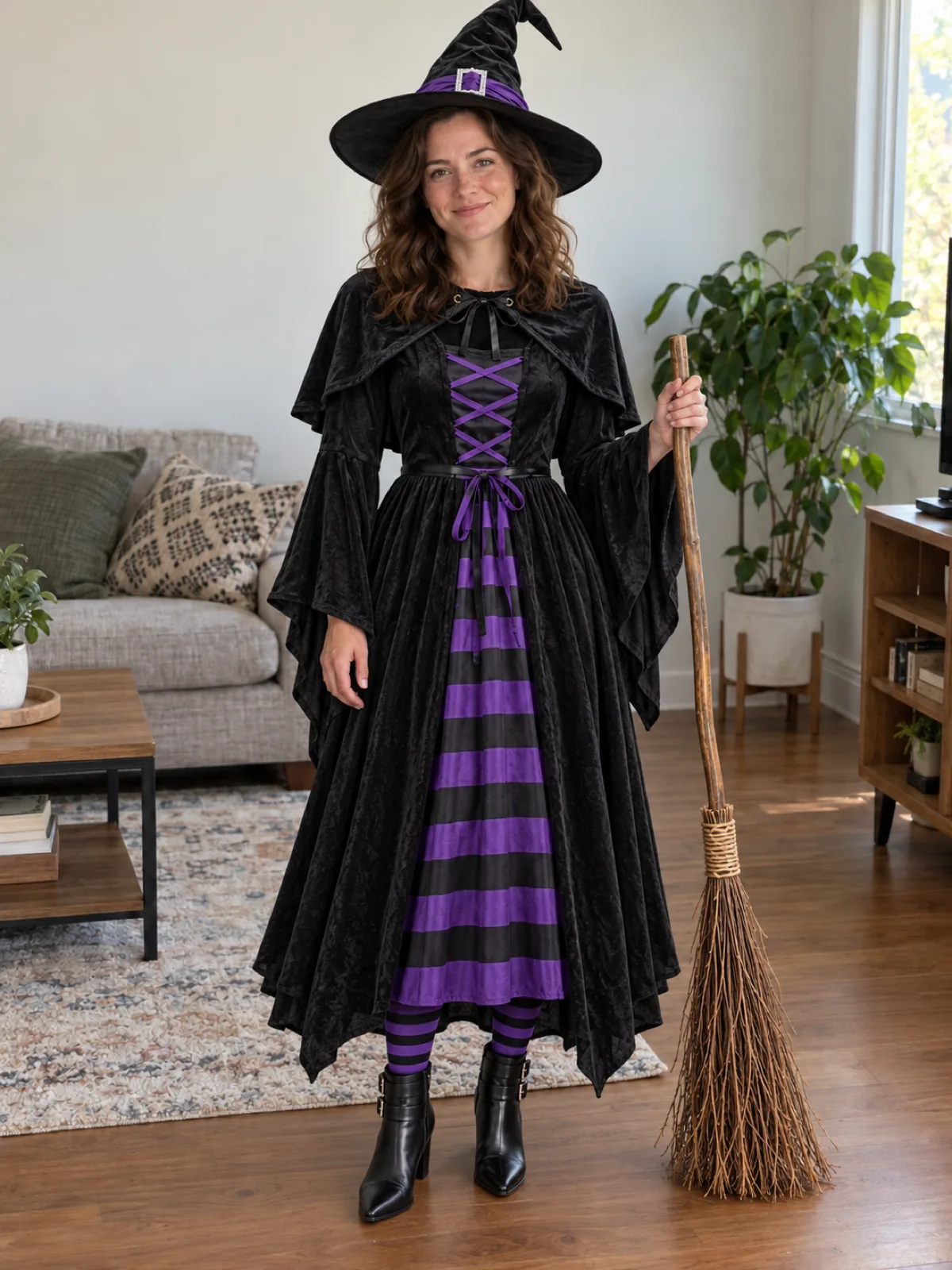
Pick the Costume Before You Pay for It
Costume listings are shot on models under studio lights, which tells you very little about how the thing looks on you. Upload a photo of yourself, then either tap one of twelve presets or drop in the product image from the store page. Seedream 5.5 dresses you in every piece the reference shows — hat, cape, gloves, props — fitted to your body with shadows that match your original photo. Your face and your own hair stay.
- Twelve Classics Built InWitch, vampire, skeleton, mummy, pumpkin, ghost, werewolf, wizard, black cat, pirate, scarecrow and zombie.
- Or Any Shop ListingSave the product photo from the store and upload it as the costume. Flat product shots work best.
- Your Face Stays UncoveredMasks are pushed up or left off so the preview still shows it's you.
How to Try On a Halloween Costume With AI
Two images, one click.
How This Differs From a Generic Outfit Swap
The prompt is tuned for costumes specifically:
Hats Sit on Your Own Hair
Most costumes are a hat or hood over your hair. A wig only replaces it when the costume clearly includes one.
Face Paint Is Opt-In
Shop costumes don't come with makeup, so none is added unless you ask for it in the text box.
Props Come Along
Brooms, wands, hooks and other handheld pieces in the reference are carried into the result.
AI Halloween Costume — FAQ
Can I use a costume photo with a model wearing it?
You can, but a product shot without a person is cleaner. With a model in the reference, the prompt takes only the costume from that image and keeps your own face.
How do I add skeleton or zombie makeup?
Write it in the optional box, for example "add skeleton face paint". Heavy face paint makes you less recognizable, which is why it is off by default.
Can I plan a couple or group costume?
Run each person separately with their own photo and costume, then compare the results side by side.
Is this only for Halloween?
The presets are Halloween classics, but any costume photo works: themed parties, school plays, conventions. For character outfits with wigs, the AI Cosplay Generator is the better fit.
Is the AI Halloween Costume Try-On free?
It's free to try, not free without limit. Signing up comes with free trial credits, enough for about four costume try-ons at 10 credits each, and after that you buy credits in packs from $10 for 800 credits. There is no subscription, and failed generations are refunded.
What does a try-on cost?
10 credits per generation with both images included. Pay-as-you-go, no subscription.