
GPT Image 2.5 Is Good at Sprite Sheets and Bad at Walk Cycles
TL;DR: GPT Image 2.5 shipped without benchmarks, so what we know comes from people testing it in public. The pattern that has emerged is consistent: it handles multi-panel layouts, sprite sheets and frame sequences better than previous image models, and it still struggles with walk cycles, hands and small held objects. That combination suits some jobs and rules out others.
OpenAI released GPT Image 2.5 without a technical report or published benchmarks. There is no scorecard to read. What exists instead is a few weeks of developers and artists posting what they got, which is messier than a benchmark but tells you something a benchmark usually does not: which tasks the model is worth pointing at.
The clearest signal so far comes from game artists.
Sprite sheets
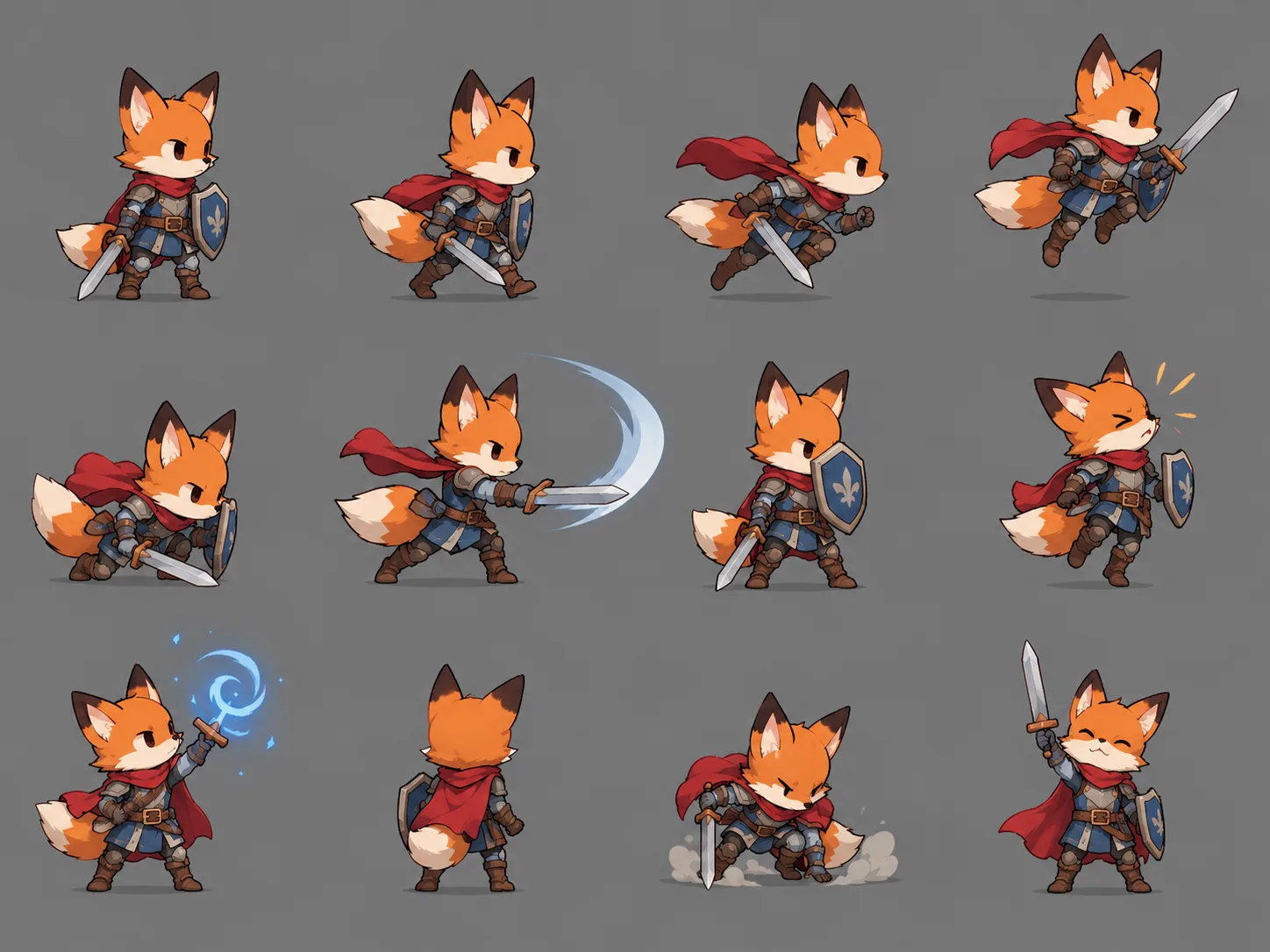
A sprite sheet is a single image holding many frames of a character in a grid, one cell per pose. Game engines slice it up at runtime. Producing one has always been a job for a pixel artist, and image models have historically been bad at it, because a sprite sheet requires the same character to appear many times in one image with consistent proportions and consistent cell alignment.
GPT Image 2.5 does this noticeably better. The developer behind Pixel Engine reported that it produces the best sprite sheets he has seen from an image model, while noting it still makes mistakes.
The likely reason is that sprite sheets are a layout problem as much as a drawing problem, and layout is where 2.5 improved most. The model has to hold a grid structure, keep cells aligned, and repeat a subject across them with controlled variation. That is closer to the poster and packaging work the model is good at than it is to freehand illustration.
Walk cycles
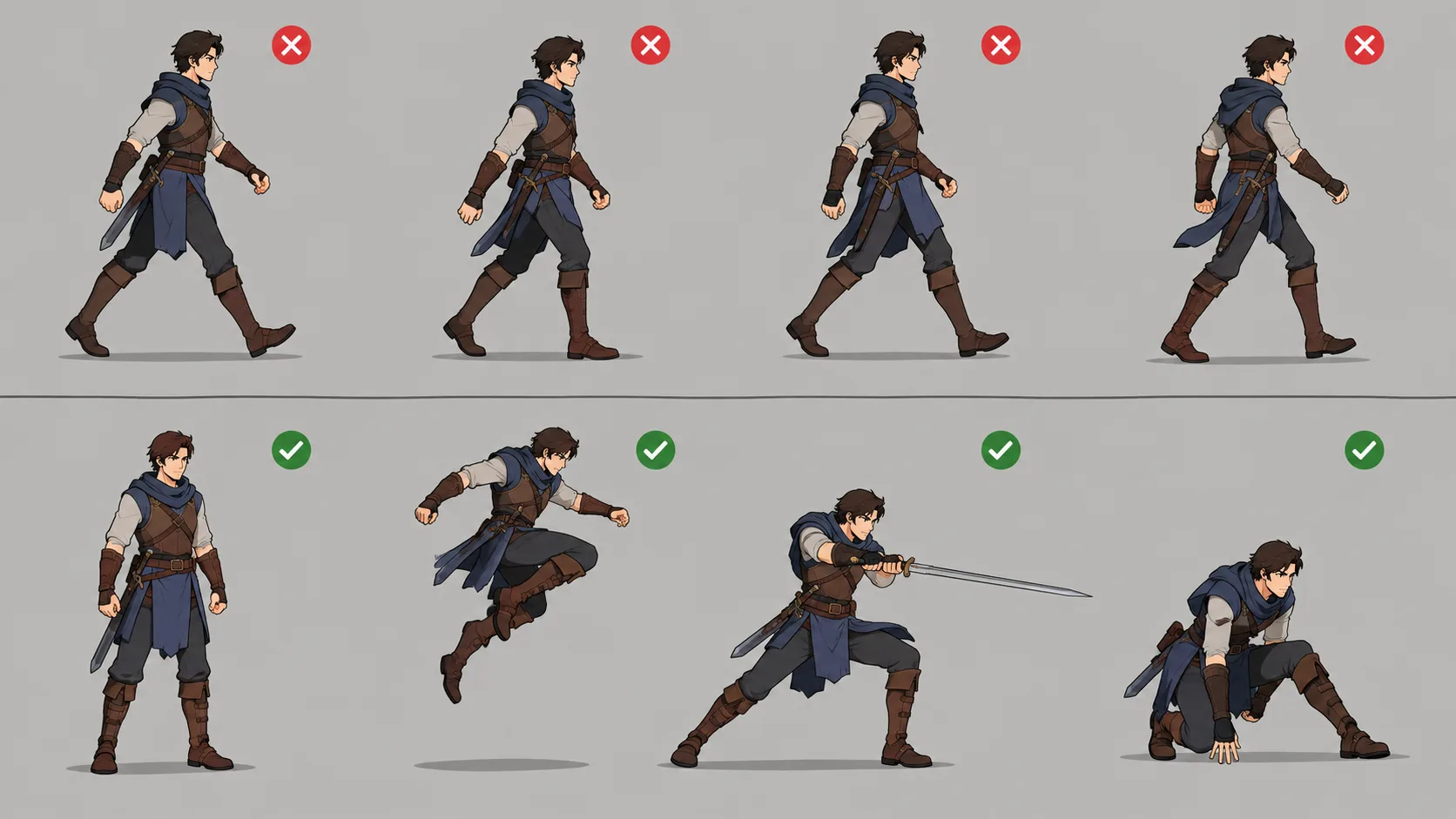
The same report flags the limit. Walk animations remain difficult.
This makes sense once you separate the two problems. A grid of distinct poses is a layout task. A walk cycle is a physics task: the feet have to plant without sliding, weight has to shift from one leg to the other, the hips and shoulders counter-rotate, and the whole thing has to loop back to its first frame without a visible seam. Animators spend a long time learning this specifically because it is not intuitive.
An image model has no model of weight. It produces poses that look individually plausible and do not cohere into a cycle. You get eight drawings of a character with legs in different positions, which is not the same thing.
The pattern underneath
Put the reports together and a consistent shape appears. GPT Image 2.5 is strong where the task is arrangement: grids, panels, multi-shot layouts, text placed inside a design, several variants of one subject held in a single frame. It is weak where the task requires an internal model of how bodies and objects behave over time.
That explains a set of otherwise unrelated observations:
- Sprite sheets work; walk cycles do not
- Multi-panel comparison posters work well
- Camera-roll and photo-dump style sequences work, because each image is independent
- Stop-motion works when frames are generated against a fixed reference, and drifts when frames are chained
- Hands holding small objects remain unreliable, as they have been for every model
None of this is in a benchmark. It comes from people posting results.
What that means for the work you point it at
Good candidates: sprite sheets and pose sets, icon and asset sets that need to look like a family, storyboard panels, layout-heavy design work, poster and packaging comps, any job where you need several controlled variants of one subject.
Poor candidates: anything that requires physical continuity across frames, walk and run cycles, detailed hand work with props, and animation where a seam between the last frame and the first would be noticed.
The honest summary for game work is that 2.5 gets you a usable first pass on static assets and does not replace an animator for movement.
Generate a whole sheet in one pass.
GPT Image 2.5 runs here in both text-to-image and image-to-image, with reference input, 1K to 4K output and thirteen aspect ratios. Flare for speed, Sunburst for edit precision, both the same price.
From 5 credits per image · No subscription
Trying it on VidCella
GPT Image 2.5 runs here in text to image and image to image.
- 1K, 2K and 4K output. Sprite sheets benefit from 2K or 4K, since each cell only gets a fraction of the canvas
- Flare and Sunburst, same price, Sunburst slower and better at precise edits
- From 5 credits per image at 1K, 15 at 2K, 24 at 4K
For sprite work specifically, generate the layout at 1K to check the grid and the pose selection, then regenerate at 4K once the sheet is right. Cell detail is the thing resolution buys you here.
FAQs
Are there official benchmarks for GPT Image 2.5? No. It shipped without a technical report, model card or benchmark table. Public reports from people testing it are the available evidence.
Is it good enough to replace a pixel artist? For static assets it produces a usable starting point. For animation it does not, because movement requires continuity the model does not maintain.
Why are sprite sheets easier for it than walk cycles? A sprite sheet is a layout problem, and layout is where the model improved. A walk cycle needs a working notion of weight and contact over time, which it does not have.
What resolution should I generate sprite sheets at? Test at 1K, deliver at 2K or 4K. Each cell only receives part of the canvas, so total resolution divides across the grid.
Does it handle hands better than earlier models? Somewhat, but hands gripping small objects are still the weak point, the same as with every other image model.
Related reading
- Making stop-motion with GPT Image 2.5 — frame sequences in practice, including what to do about drift
- Your GPT Image 2.5 edit drifted — keeping a subject consistent across passes
- Seedream 5 Pro vs GPT Image 2 — an earlier comparison on the image side