
Making Stop-Motion with GPT Image 2.5: A Working Method
TL;DR: Stop-motion is a sequence of stills with small changes between them, which is a task image models can now do well. The hard part is consistency, not motion. Lock your character and set with a reference image, change one thing per frame, and generate at a low resolution until the sequence reads correctly.
Traditional stop-motion costs time in a way that keeps most people out. You need a physical puppet, a fixed camera, controlled lighting, and the patience to move a figure a few millimetres at a time. A few seconds of finished animation can take a day.
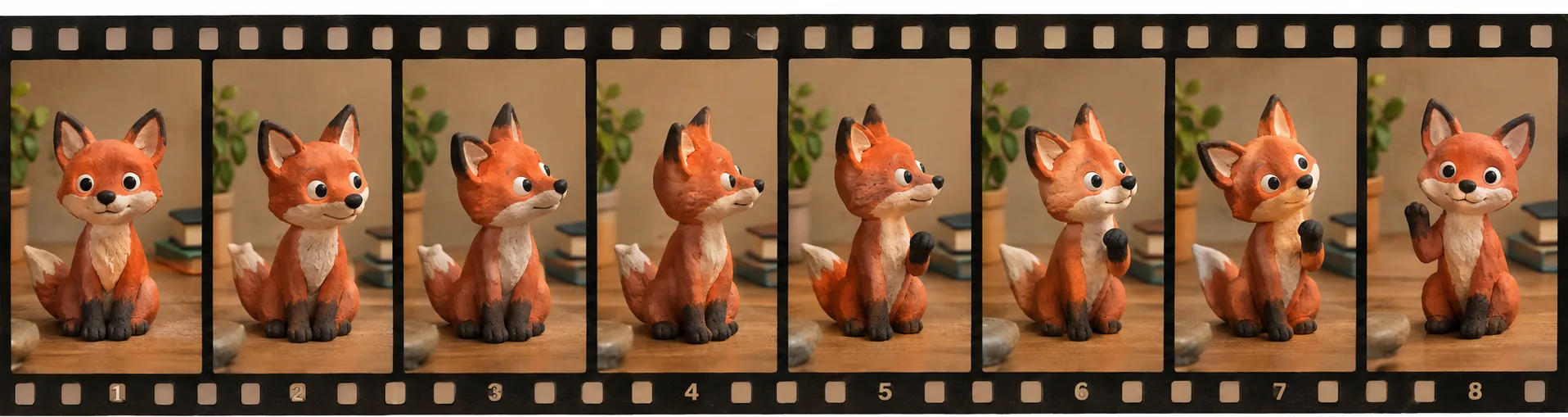
An image model changes the arithmetic. If you can generate a consistent character in a consistent set, you can generate the in-between positions instead of posing them. Creators on X have been doing exactly this with GPT Image 2.5 and getting results that hold together, which was not true of image models a year ago.
What actually makes it work
The motion is the easy part. Small positional changes between frames are simple to describe and the model handles them without much fuss.
Consistency is where sequences fall apart. If the character's proportions shift between frame three and frame four, the eye catches it instantly, and the illusion of a single object moving through time collapses. Animators call this boiling when it happens to linework. Here it shows up as a face subtly rearranging itself, or a jacket changing colour.
So the whole method is organised around holding everything still except the one thing that should move.
The method
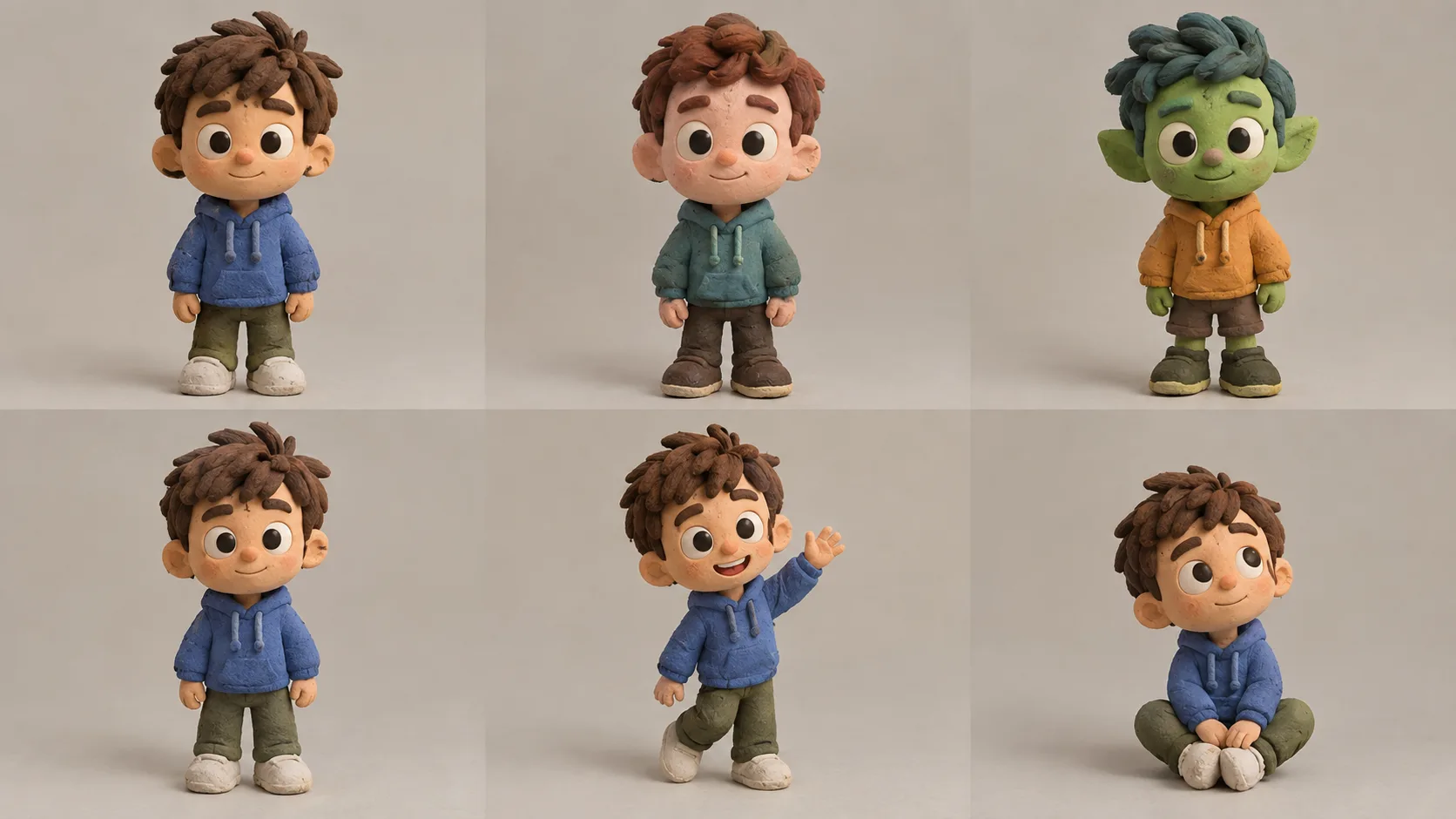
Generate the character sheet first. Before any frames, make one image of your subject that you are happy with, on the background you intend to use. This becomes the reference for every subsequent frame. Spending extra effort here pays back across the whole sequence.
Use it as a reference on every frame. Not just the first one. Each frame references the same character sheet, which stops error from accumulating the way it does when you chain frame two off frame one, frame three off frame two, and so on. Chaining compounds drift. Referencing a fixed anchor does not.
Change one variable per frame. Write the frame prompt as the character sheet plus a single delta: the arm is raised slightly higher, the head has turned five degrees, the foot has left the ground. Resist describing the whole scene again.
Say the material out loud. Stop-motion has a look: clay fingerprints, felt fibres, visible seams, the slight wobble of handmade things. If you do not name it, you get smooth digital rendering that reads as CGI rather than stop-motion. Put the material in every frame prompt.
Generate at 1K while you are finding the shot. At 5 credits an image, a twelve-frame test costs 60 credits. Get the sequence right, then regenerate the frames you are keeping at higher resolution.
How many frames
Fewer than you would think. Classic stop-motion is often shot "on twos," meaning each pose is held for two frames of a 24fps timeline, which works out to twelve poses per second. Plenty of well-known stop-motion is shot on fours, six poses per second, and reads fine because the slight choppiness is part of the aesthetic.
For a short loop, eight to twelve frames is usually enough. A walk cycle needs a bit more. A simple gesture, a wave or a head turn, can work in six.
Start with a low frame count and add in-betweens only where the motion looks too jumpy. Generating 24 frames before you know the shot works is an expensive way to discover the pose was wrong.
Assembling the frames
The model gives you stills. Turning them into a video is a separate step, and ffmpeg handles it in one line:
ffmpeg -framerate 8 -i frame_%02d.png -c:v libx264 -pix_fmt yuv420p out.mp4
Adjust -framerate to taste. Between 6 and 12 is the range where it reads as stop-motion rather than as either a slideshow or smooth animation.
Where it breaks
Walk cycles are hard. Getting feet to plant convincingly and weight to shift correctly is the classic animation problem, and prompting your way to it frame by frame is fiddly. Expect several attempts, or pick an action that is not walking.
Hands and small props drift more than faces. Faces benefit from the model's training; a pencil held between fingers does not. Keep props large and simple, or accept touch-up work.
Long sequences accumulate error anyway. Even with a fixed reference, a 40-frame sequence will wander. Break long shots into segments with their own reference frames.
Build a sequence without a camera or a rig.
GPT Image 2.5 runs here in both text-to-image and image-to-image, with reference input, 1K to 4K output and thirteen aspect ratios. Flare for speed, Sunburst for edit precision, both the same price.
From 5 credits per image · No subscription
Doing this on VidCella
GPT Image 2.5 is available here in both text to image and image to image, which is what the reference workflow needs.
- From 5 credits per image at 1K, so a twelve-frame test sequence is 60 credits
- 1K, 2K and 4K, with thirteen aspect ratios
- Flare and Sunburst at the same price, Flare being the faster of the two
For frame generation, Flare is usually the right choice. You are making many images and iterating, and speed compounds across a sequence. Switch to Sunburst for the final pass on frames you are keeping.
FAQs
Can GPT Image 2.5 generate video? No. It generates stills. You assemble them into a sequence yourself, which is what stop-motion is anyway.
How do I stop the character changing between frames? Reference the same character sheet image on every frame rather than chaining each frame off the previous one. Chaining compounds small errors; a fixed anchor does not.
How many frames do I need for one second? Six to twelve, depending on how smooth you want it. Stop-motion tolerates lower frame rates than other animation because the slight jerkiness is part of the style.
Why do my frames look like CGI instead of stop-motion? The material is probably missing from the prompt. Name the physical qualities: clay texture, fingerprints, felt fibres, visible seams, imperfect surfaces.
What is the cheapest way to test a sequence? Generate at 1K and low frame count first. Confirm the motion reads, then regenerate the keepers at higher resolution.
Related reading
- Your GPT Image 2.5 edit drifted — the referencing technique this method depends on
- GPT Image 2.5 is good at sprite sheets and bad at walk cycles — where frame-sequence generation holds up and where it does not
- Why GPT Image 2 blocks your prompts — the moderation behaviour behind refused generations